How to spot fake PayPal emails and protect your business from payment fraud. Common scam tactics and what to do if you receive a suspicious email.
PayPal Scam Emails Are Still Going Strong
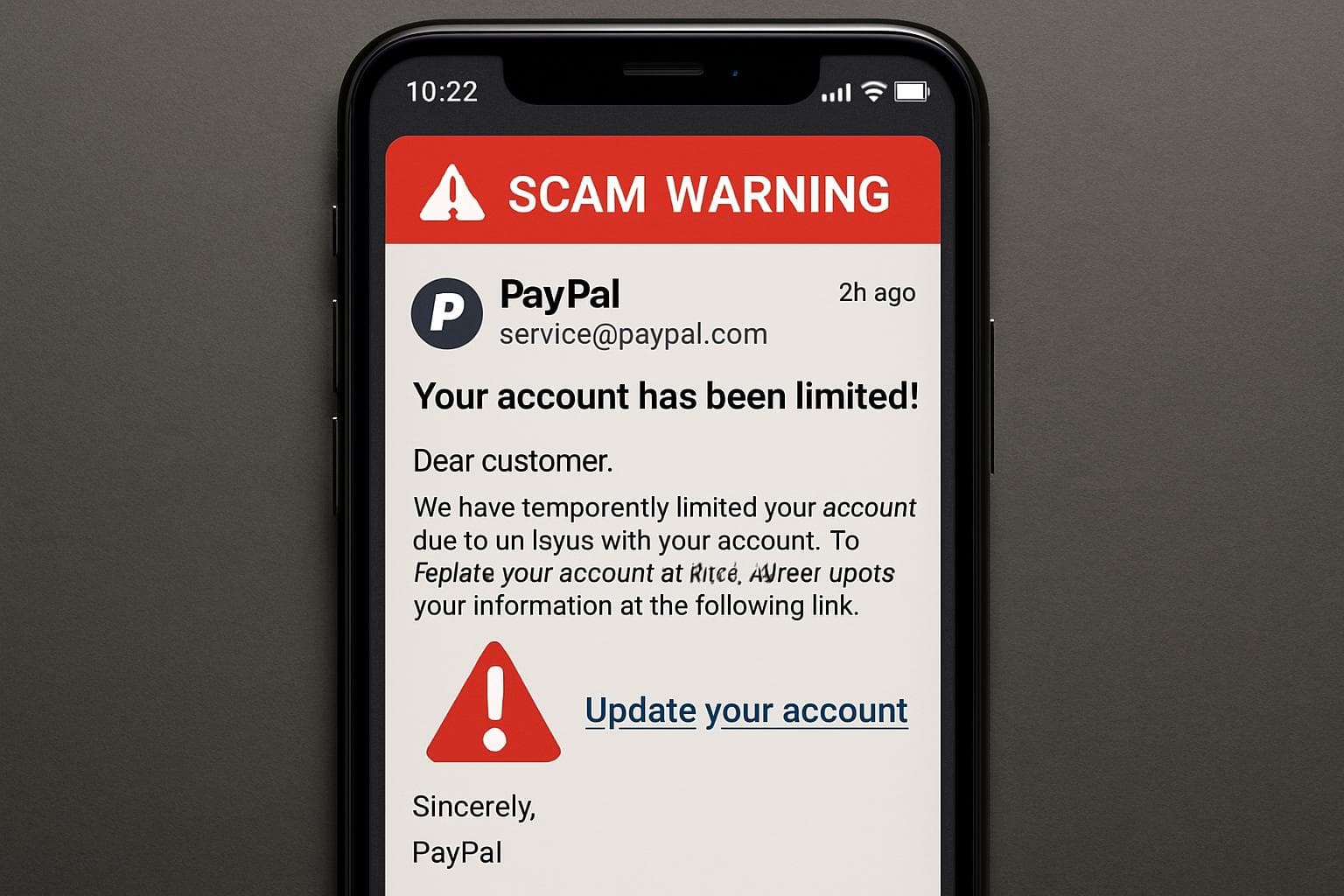
PayPal phishing emails have been circulating for over a decade — and they're more convincing than ever. Modern scam emails perfectly replicate PayPal's branding, use legitimate-looking sender addresses, and create urgency designed to make you click before you think.
💡
If an email from PayPal asks you to click a link to verify your account, confirm a payment, or update your details — stop. Go directly to paypal.com in your browser instead. Never click links in unexpected payment emails.
How to Spot a Fake PayPal Email
Red Flags to Watch For
- Generic greetings — PayPal uses your full name. "Dear Customer" or "Dear PayPal User" is always fake
- Urgency and threats — "Your account will be suspended in 24 hours" is designed to panic you into clicking
- Suspicious sender address — Look at the actual email address, not just the display name. Real PayPal emails come from @paypal.com or @paypal.com.au
- Links to non-PayPal domains — Hover over any link before clicking. If it doesn't go to paypal.com, it's fake
- Requests for sensitive information — PayPal will never ask for your password, bank details, or credit card number via email
- Poor grammar and spelling — Though modern scams have largely fixed this, it's still a giveaway in some cases
Common PayPal Scam Scenarios
- "Suspicious activity detected" — Claims someone accessed your account from an unusual location
- "Payment received" — Fake notification of a payment you didn't receive, with a link to "view details"
- "Refund pending" — Claims you're owed money but need to "confirm" to receive it
- "Invoice from..." — Fake invoices for products you didn't buy, hoping you'll click "dispute"
What to Do If You Receive a Suspicious Email
- Don't click any links in the email
- Don't download attachments — They may contain malware
- Forward the email to phishing@paypal.com.au for investigation
- Log into PayPal directly by typing paypal.com in your browser to check your account
- Report it to the ACSC (Australian Cyber Security Centre) at cyber.gov.au
- Delete the email after reporting
Protecting Your Business
For businesses that use PayPal for transactions, additional precautions include:
- Enable two-factor authentication on your PayPal business account
- Train staff to recognise phishing emails — especially reception and accounts staff
- Use email filtering that scans for known phishing indicators
- Set up transaction alerts so you know immediately when real payments occur
- Never process refunds based on email requests alone — Always verify through the PayPal dashboard
How SkyComm Helps
SkyComm implements enterprise-grade email security for Perth businesses, including advanced phishing detection, staff awareness training, and multi-layered email filtering. We help businesses protect against PayPal scams, invoice fraud, and all forms of email-based attacks.
Concerned about email security? Contact SkyComm on 1800 957 977.
SkyComm IT Solutions
Perth's leading medical and business IT support provider. Trusted by healthcare practices, law firms, and businesses across Western Australia for over 20 years.