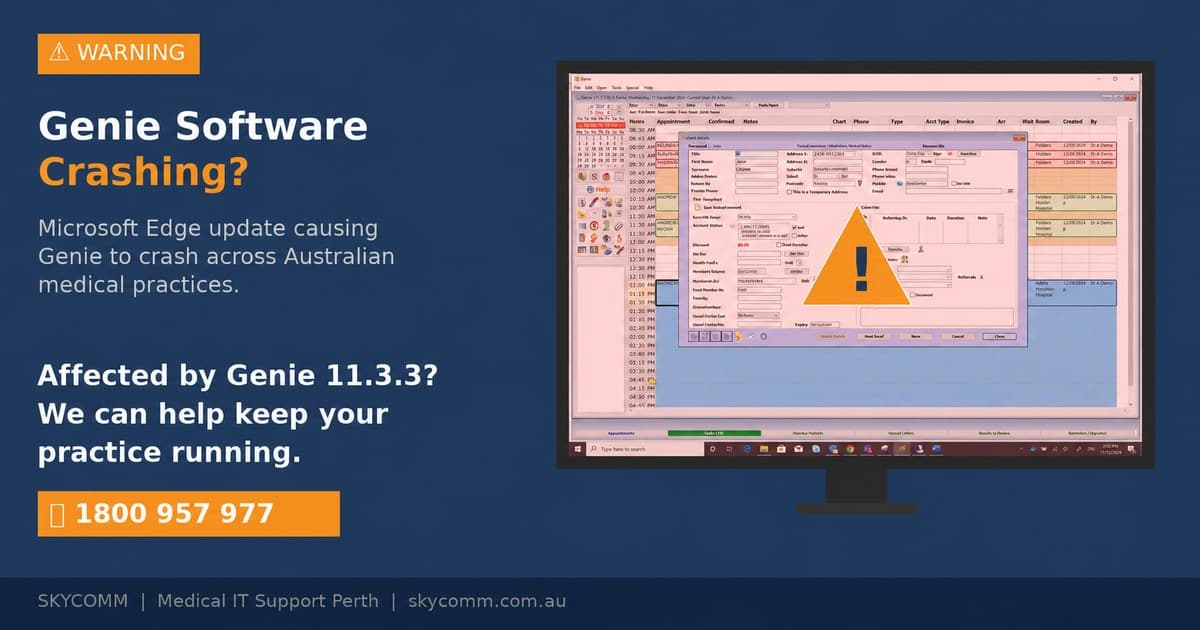
Fix common Genie Solutions problems including PDF freezing, slow performance, and system crashes. Expert troubleshooting tips for medical practices.
# Genie Solutions Troubleshooting: Common Issues and How to Fix Them
Genie Solutions practice management software is widely used by Australian medical practices, but like any complex system, it can experience technical issues that disrupt daily operations. From PDF files freezing the application to slow performance and unexpected crashes, these problems can significantly impact patient care and practice efficiency. Here's a comprehensive guide to diagnosing and fixing the most common Genie Solutions issues.
Understanding Genie Solutions Architecture
System Components
Genie Solutions operates as a complex integrated system:
• Database engine - Stores all patient and practice data
• Application server - Manages business logic and user interfaces
• Client applications - Desktop software used by practice staff
• Reporting system - Generates letters, reports, and forms
• Integration modules - Connects with pathology, imaging, and billing systems
Common Failure Points
Understanding where problems typically occur helps with troubleshooting:
• PDF generation - Resource-intensive process that can overwhelm systems
• Database connections - Network issues can disrupt data access
• Memory management - Large files and reports can cause memory leaks
• Printer drivers - Outdated drivers cause printing and PDF issues
• Network connectivity - Slow or unstable networks affect performance
PDF-Related Issues and Solutions
Genie Freezing When Opening PDF Files
This is one of the most common and frustrating Genie Solutions problems:
Immediate Troubleshooting Steps:
1. End the Genie process - Use Task Manager to force-close Genie Solutions
2. Clear temporary files - Delete contents of Windows temp folder
3. Restart Genie - Allow the system to reload completely
4. Try smaller reports - Test with single-page documents first
5. Check available memory - Ensure sufficient RAM is available
Root Cause Analysis:
• Insufficient memory - Large PDF files can exhaust available RAM
• Corrupted PDF engine - The PDF generation component may be damaged
• Outdated PDF drivers - Old PDF creation software causes conflicts
• Network timeouts - Slow connections interrupt PDF generation
• Antivirus interference - Security software may block PDF creation
Permanent Solutions:
• Increase system memory - Add more RAM to handle large documents
• Update PDF components - Install latest PDF generation software
• Configure antivirus exclusions - Exclude Genie folders from real-time scanning
• Optimise network performance - Improve connection speed and stability
• Regular system maintenance - Clear temporary files and defragment drives
PDF Generation Performance Issues
When PDFs take excessive time to generate:
Performance Optimisation:
• Template optimisation - Simplify complex report templates
• Image compression - Reduce file sizes of embedded images
• Batch processing - Generate multiple reports during off-peak hours
• Server resources - Ensure adequate CPU and memory on server
• Database optimisation - Regular maintenance improves query performance
Configuration Adjustments:
• PDF quality settings - Balance quality with file size
• Memory allocation - Increase memory available to Genie processes
• Timeout settings - Extend timeouts for large document generation
• Concurrent user limits - Reduce simultaneous PDF generation
• Caching configuration - Improve repeated document generation speed
System Performance Issues
Slow Application Response
When Genie Solutions becomes sluggish:
Immediate Performance Checks:
• System resources - Monitor CPU, memory, and disk usage
• Network performance - Test connection speed to server
• Running processes - Identify programs consuming excessive resources
• Disk space - Ensure adequate free space on all drives
• Database connectivity - Verify stable connection to database server
Performance Improvement Strategies:
• Regular maintenance - Weekly system cleanup and optimisation
• Database tuning - Index optimisation and query performance improvement
• Hardware upgrades - Additional memory and faster storage systems
• Network optimisation - Upgrade network infrastructure if necessary
• Software updates - Install latest Genie Solutions patches and updates
Application Crashes and Freezes
When Genie Solutions becomes unresponsive:
Crash Investigation:
• Error logs - Check Windows Event Viewer for application errors
• Genie logs - Review application-specific log files
• System stability - Test other applications for similar issues
• Hardware diagnostics - Run memory and disk tests
• Driver conflicts - Check for problematic device drivers
Stability Improvements:
• Clean installation - Reinstall Genie Solutions if corruption is suspected
• Driver updates - Ensure all device drivers are current
• System file checks - Run Windows system file checker
• Registry cleanup - Remove corrupted registry entries
• Compatibility modes - Configure compatibility settings if necessary
Integration and Connectivity Issues
Pathology and Imaging Integration Problems
When external systems fail to communicate with Genie:
Integration Troubleshooting:
• Connection testing - Verify network connectivity to external systems
• Authentication checks - Ensure login credentials are correct and current
• Service status - Check if external services are operational
• Configuration review - Verify integration settings and parameters
• Protocol compatibility - Ensure communication protocols match
Common Integration Fixes:
• Firewall configuration - Open necessary ports for communication
• Certificate updates - Refresh security certificates if expired
• Service restarts - Restart integration services on both systems
• Queue processing - Clear stuck messages in communication queues
• Error handling - Review and resolve error messages in integration logs
Billing System Synchronisation
When billing data doesn't sync properly:
Synchronisation Issues:
• Data validation errors - Incorrect or incomplete billing information
• Timing conflicts - Multiple systems updating the same records
• Permission problems - Insufficient rights to update billing records
• Network interruptions - Connection issues during sync processes
• Version conflicts - Different software versions causing compatibility issues
Database Maintenance and Optimisation
Regular Database Maintenance
Prevent many issues with routine maintenance:
Monthly Maintenance Tasks:
• Database backup verification - Ensure backups are complete and valid
• Index rebuilding - Optimise database query performance
• Statistics updates - Refresh query optimiser information
• Log file management - Purge old transaction logs to free space
• Integrity checks - Verify database consistency and repair issues
Quarterly Maintenance:
• Full database optimisation - Comprehensive performance tuning
• Archive old data - Move historical records to archive tables
• Capacity planning - Assess storage requirements and growth trends
• Security reviews - Check user permissions and access controls
• Disaster recovery testing - Verify backup and restore procedures
Performance Monitoring
Track system performance to prevent issues:
Key Performance Indicators:
• Response times - How quickly the system responds to user actions
• Resource utilisation - CPU, memory, and disk usage patterns
• Error rates - Frequency of application and system errors
• User complaints - Track and categorise user-reported issues
• System availability - Uptime and reliability metrics
Hardware and Infrastructure Considerations
System Requirements for Optimal Performance
Ensure hardware meets current demands:
Minimum Server Specifications:
• CPU - Multi-core processor with adequate clock speed
• Memory - Sufficient RAM for database and application processes
• Storage - Fast disk systems, preferably SSD for database files
• Network - Gigabit Ethernet for multi-user environments
• Redundancy - Backup power and cooling systems
Workstation Requirements:
• Operating system - Supported Windows version with latest updates
• Memory - Adequate RAM for Genie client and other applications
• Display - High-resolution monitors for detailed medical information
• Peripherals - Reliable printers and scanners for document management
• Network connectivity - Stable connection to server systems
Infrastructure Best Practices
Network Design:
• Dedicated network segments - Separate medical systems from general use
• Quality of Service - Prioritise medical application traffic
• Redundant connections - Multiple network paths for reliability
• Security measures - Firewalls and intrusion detection systems
• Wireless infrastructure - Secure Wi-Fi for mobile device access
Security Considerations:
• Access controls - Role-based permissions for different user types
• Data encryption - Protect patient information in transit and at rest
• Audit logging - Track all access to patient records
• Backup security - Encrypt and secure database backups
• Compliance monitoring - Ensure ongoing HIPAA and privacy compliance
Professional Support and Escalation
When to Contact Technical Support
Recognise when professional help is needed:
Immediate Support Required:
• System-wide outages - Complete inability to access patient records
• Data corruption - Suspected loss or corruption of patient information
• Security breaches - Unauthorised access to medical records
• Compliance violations - Issues that could result in regulatory penalties
• Hardware failures - Server or critical infrastructure problems
Scheduled Support:
• Performance optimisation - Professional tuning and configuration
• Software updates - Major version upgrades and patches
• Integration projects - New system integrations and interfaces
• Training needs - Staff education on new features and procedures
• Capacity planning - Growth planning and infrastructure scaling
Documenting Issues for Support
Effective communication with technical support:
Information to Provide:
• Detailed error descriptions - Exact error messages and circumstances
• Steps to reproduce - How to consistently trigger the problem
• System information - Hardware, software, and network configuration
• Recent changes - Any modifications made before problems started
• Impact assessment - How the issue affects practice operations
💡
Key Takeaway: Most Genie Solutions issues can be resolved through systematic troubleshooting and regular maintenance. However, medical practices should have professional support relationships in place for complex problems that could affect patient care or regulatory compliance.
Professional Genie Solutions Support
Managing Genie Solutions effectively requires expertise in both the software and the underlying IT infrastructure. Complex integration issues, performance problems, and system failures can significantly impact patient care and practice operations.
SkyComm provides comprehensive Genie Solutions support for Perth medical practices, including troubleshooting, performance optimisation, system maintenance, and upgrade services. Our team understands the critical nature of medical practice software and provides rapid response when issues affect patient care.
We offer proactive monitoring and maintenance services to prevent common issues, as well as emergency support when problems do occur. Our expertise extends to integration with pathology systems, imaging networks, and billing platforms commonly used by Australian medical practices.
For professional Genie Solutions support and maintenance, contact SkyComm on 1800 957 977. Let us help you maintain reliable, efficient practice management systems that support excellent patient care without technical disruptions.
SkyComm IT Solutions
Perth's leading medical and business IT support provider. Trusted by healthcare practices, law firms, and businesses across Western Australia for over 20 years.